Показаны сообщения с ярлыком Tutorial. Показать все сообщения

воскресенье, 26 июня 2011 г.

User Online Status

english  English Version 

How many people is online at your blog? you know that or don't? If you don't know how many people is online at your blog, you can use a free tracker to know it. That is much site provide this service. Once of them iswww.histats.com. If you use them tool, you can know how many people online at your blog, how many people was visited to your blog, and any function. This is once of example : 
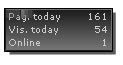
histat.jpg
How to get it? please following the steps : 

  1. Please visit www.histats.com.

  2. If you was on the histats site, click Register at the top tab.

  3. Content the form with your information, such as email, password, your blog url and etc.

  4. Click Continue button.

  5. Choose the style of histats counter, click Choose a counter from this category.

  6. Please mark the radio button beside the counter style you wanted.

  7. Click Continue button at the bottom of page.

  8. Click at the drop down menu, choose the category which to display at your counter. the choice is : visitor today, Page views today, User online, Total visitors, and total page views. Choose empty if you want not to display them.

  9. Click Continue button.
Wait a moment, your counter is updating.

  1. Until the process is done, copy your counter code and paste to the Notepad or other text editor. Save into your computer.

  2. Logout and close your internet browser.

  3. Done. Now you has have a counter code to add at your blog.


Next step is add your counter code to your blog, please following the steps : 

  1. Login to blogger with your ID.
  2. After entering the dasboard page , click Layout.
Click at Page Element tab. See the picture below :
    page element
  1. Click at Add a Page element.
  2. After emerging pop up window , Klik add to blog button for the things HTML/JavaScript. See the picture following :
  3. javascript
  4. Open your Counter code, copy and then paste into available column.
  5. Click   save changes   
  6. Done. Please see the result.

Now you have a Counter, and you will know how many people online at your blog. 

If you don't like with this counter, you can get at the other site, this is several site provide the same service : 

  • http://www.neoworx.net

  • http://www.webfooted.net

  • http://www.fastonlineusers.com

Text Berjalan Di Bar Menu

Caranya sangat gampang dan mudah,untuk template baru silahkan SOBAT ikuti langkah-langkah berikut ini : 

  1. Sign in di blogger dengan id sobat
  2. Klik menu Layout
  3. Klik menu Edit HTML
  4. Klik tulisan Download Full Template, lalu save data tersebut. Ini untuk berjaga-jaga apabila terjadi kesalahan dalam mengedit kode template
  5. Klik kotak kecil di samping tulisan Expand Widget Templates untuk memberi tanda centang. Sekali lagi jangan lupa klik kotak kecil di samping tulisan Expand Widget Templates
  6. Tunggu beberapa saat sampai proses selesai
  7. Simpan kode berikut di bawah kode </body> , kode ini letaknya berada paling bawah sebelum kode</html>


  8. <script language='javascript'> 
    message = "Tulis text pertama yang ingin muncul disini ^" + 
    "Tulis text kedua disini ^" + 
    "Tulis text ketiga disini ^" + 
    "Tulis text keempat disini ^" 

    scrollSpeed = 130 
    lineDelay = 0 

    // Do not change the text below // 

    txt = "" 

    function scrollText(pos) { 
    if (message.charAt(pos) != '^') { 
    txt = txt + message.charAt(pos) 
    status = txt 
    pauze = scrollSpeed 

    else { 
    pauze = lineDelay 
    txt = "" 
    if (pos == message.length-1) pos = -1 

    pos++ 
    setTimeout("scrollText('"+pos+"')",pauze) 

    scrollText(0) 
    </script> 


  9. Klik tombol SAVE TEMPLATE
  10. Selesai
sedikit clue, pada kode diatas ada tulisan yang saya buat merah, nah tulisan tersebut harus sobat ganti dengan tulisan yang sobat inginkan. contoh : selamat datang di blog saya. atau apa saja yang menurut sobat layak untuk di tulis di situ. contoh yang saya berikan diatas memuat pesan atau text sebanyak empat tulisan, jika sobat ingin lebih banyak itu bisa dilakukan dengan menambah baris tulisan seperti kode sebelumnya.Untuk kode --> scrollSpeed = 130 . angka "130" merupakan kecepatan dari text berjalan, semakin kecil nilainya semakin cepat text berjalan, dan semakin besar nilainya maka text akan semakin lambat. Silahkan sesuaikan dengan keinginan sobat. 

Cara Menghilangkan Navbar Blogger

Untuk menghilangkan navbar blogger, sobat tinggal menambahkan kode di bawah ini pada style sheet CSS : 


/* hilangkan navbar
----------------------------- */

#navbar-iframe {
height:0px;
visibility:hidden;
display:none
}

Atau bisa juga menaruh kode berikut persis di bawah kode <body> : 

<style type='text/css'>
#navbar-iframe {display:none;}
</style>

Membuat Link Untuk Download

Agar tidak terlalu bingung, penyedia layanan ini salah satunya adalah www.SnapDrive.net. dengan menggunakan situs ini kita bisa upload file kemudian file tersebut bisa di download lagi oleh orang lain. Untuk caranya silahkan ikuti langkah-langkah berikut ini : 

  1. Silahkan klik di sini untuk menuju http://www.SnapDrive.net
  2. Klik tulisan Register
  3. Isi formulir yang disediakan dengan data diri sobat
    • Username --> isi dengan nama yang ingin sobat gunakan, boleh apa saja yang penting mudah di ingat. contoh : Unyil
    • Password --> isi dengan password yang di inginkan. contoh : pakraden
    • Confirm password --> isi kembali dengan password yang tadi di tuliskan.contoh : pakraden
    • Email address --> isi dengan alamat email sobat, tentunya yang masih valid. contoh : amn_tea@yahoo.co.id
    • First name -->isi dengan nama depan sobat
    • Last name --> isi dengan nama belakang sobat
    • Country --> pilih nama negara dimana sobat tinggal. contoh : indonesia
    • Postcode --> isi dengan kode post daerah sobat
    • Gender --> pilih sesuai dengan jenis kelamin sobat. male(pria), female(wanita)
    • Date of birth --> pilih tanggal kelahiran sobat

    • Preferances isi dengan tulisan yang tertera di situ

  4. Klik tombol Register
  5. Ada konfirmasi bahwa account yang baru di buat harus di aktifkan melalui email yang kita tulis tadi
  6. Cek email milik sobat yang tadi ditulis, periksa apakah email dari Snapdrive sudah sampai atau belum
  7. Jika email sudah sampai, silahkan buka email tersebut. Isi di dalam email tersebut ada yang berupa link untuk aktifasi, klik saja link tersebut
  8. Secara otomatis sobat akan dibawa kehalaman yang berisi ucapan terima kasih
  9. Klik tombol OK
  10. Silahkan Login dengan username serta password yang tadi di tuliskan saat register
  11. Setelah berada di halaman account sobat, klik tulisan Upload
  12. Klik tombol Add Files
  13. Pilih file yang ada dikomputer sobat yang mau di upload
  14. Klik tombol Upload. tunggu beberapa saat ketika proses upload file sedang berlangsung
  15. Jika proses upload selesai, sobat akan diperlihatkan file yang di upload tadi. Klik tulisan details yang ada disebelahnyA
  16. Klik tulisan HTML Code
  17. Copy kode yang di berikan lalu paste pada program notepad
  18. Klik tulisan Logout untuk keluar dari situs tersebut
  19. Silahkan tutup layar browser sobat

Langkah selanjutnya adalah memasukan kode tadi ke dalam blog kita, saya ambil contoh kode yang sudah di upload seperti ini : 

<a href="http://www.snapdrive.net/files/452250/billing%20internet.zip">billing internet.zip</a> 

Kode ini merupakan kode link biasa, jadi tentunya tidak mutlak. Kata billing internet.zip, bisa kita ganti dengan kata apa saja sekehendak kita. saya ambil contoh kata billing internet.zip di rubah menjadi kata download, maka kode diatas menjadi seperti di bawah ini : 

<a href="http://www.snapdrive.net/files/452250/billing%20internet.zip">download</a> 

Bagaimana cara memasukan kode diatas? tentu saja terserah sobat mau di tempatkan dimana saja, mau di sidebar, footer, atau bahkan di dalam postingan pun bisa. Saya ambil contoh didalam postingan isinya seperti ini : 

Untuk men download program billing internet, silahkan anda klik link di bawah ini : 
<br/><br/> 
<a href="http://www.snapdrive.net/files/452250/billing%20internet.zip">download</a> 

Maka nanti di blog kita akan tampil seperti ini : 

Untuk men download program billing internet, silahkan anda klik link di bawah ini : 

download 

суббота, 25 июня 2011 г.

Download Template Blog Gratis


Berikut merupakan Daftar situs Template Blog yang saya dapatkan dan Kumpulkan dari Hasil Pencarian di Google.Jika anda berminat Untuk Mendownload Template Gratis Silahkan Kunjungi Langsung Situs Resminya dan Pilih mana Template Yang Anda Sukai.

Free Blogger Templates (Blogspot)
1.www.btemplates.com
2.www.bloggerbuster.com
3.http://blogtemplate4u.com/
4.www.freeblogger-templates.blogspot.com
5.www.blogger-templates.blogspot.com
6.www.finalsense.com
7.www.ourblogtemplates.com
8.www.bloggerstyles.com
9.www.eblogtemplates.com
10.www.blogspottemplate.com

Free WordPress Templates
1. www.prowordpressthemes.com
2. www.wordpresstemplates.com
3. wordpresstemplates.name
4. www.skinpress.com
5. www.wordpress.org
6. www.topwpthemes.com
7. www.blogohblog.com
8. www.templatesbrowser.com
9. www.wpskins.org
10. www.freewordpresstheme.info

Premium WordPress Templates
1. www.wordpressthemesmarket.com
2. www.wpcandy.com
3. www.web20-templates.com
5. www.wpremix.com
6. www.ithemes.com
7. www.wp-magazine.com
8. www.studiopress.com
9. www.wp-vybe.com
10. www.premiumwp.com

Bonus Daftar Template Blog..^_^
1. http://www.eblogtemplates.com/
2. http://www.jackbook.com/
3. http://www.indosmart.blogspot.com/search/label/template
4. http://www.magznetwork.com/
5. http://www.freetemplate.widarto.net
6. www.simplebits.com